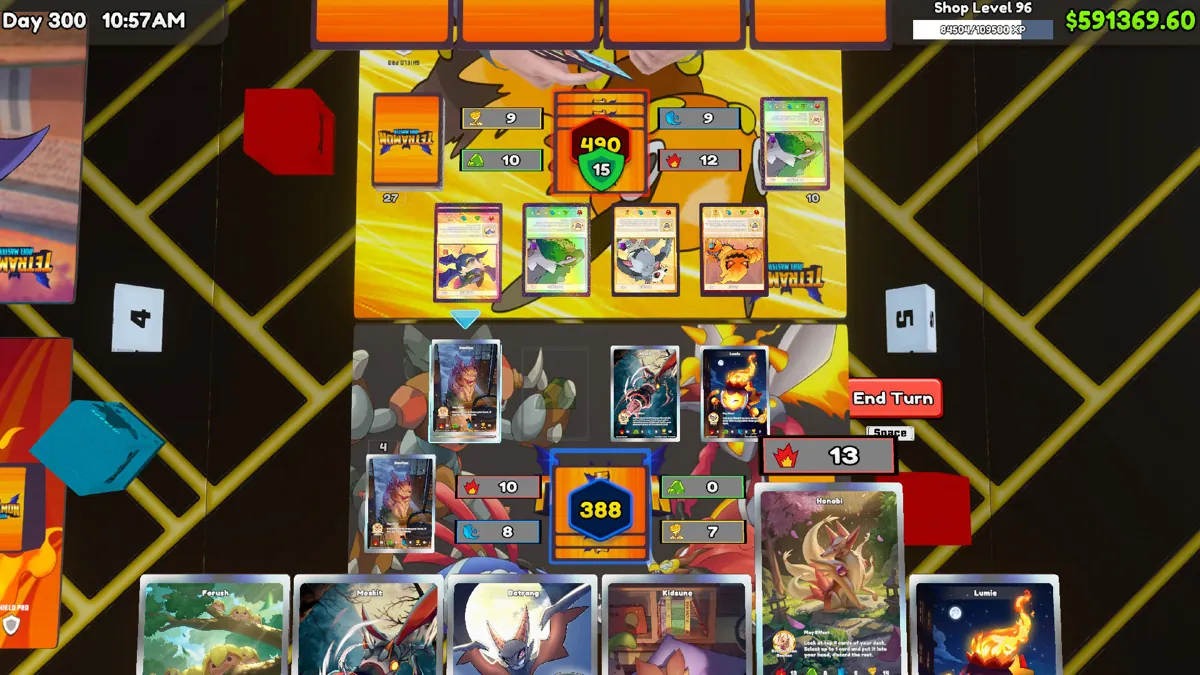
The official 1.0 update says the Workbench unlocks at shop level 7. It contains the playable TCG rulebook and lets you create or modify your 50-card deck.
Check level and version first
Check your shop level and confirm your game has the 1.0 features installed. An older video, a modified installation and a newly started shop can each explain why a menu looks different.
When asking for help, include the platform, game version, shop level and whether mods are active. This makes a missing unlock much easier to distinguish from a compatibility problem.
Read, build, then play
Open the rulebook before making your first deck. Assemble the list in the Workbench and check what your collection actually supports. The official announcement also describes deckbox and playmat selection based on unlocked licenses.
Keep an original copy of a list before changing it. Give revisions useful names such as “more early setup” rather than relying on memory to compare them.
Troubleshooting without risking your save
Back up saves before changing mod installations. Test on a clean setup when practical, and consult the developer’s current support information rather than downloading an unknown “unlock fixer.”
Do not reset a progressing shop merely because a tutorial shows a different menu. First confirm the requirements and reproduce the issue. Use the duel troubleshooting checks to distinguish a missing prompt from tournament entry or evolution timing.
Do not confuse bulk pricing with grading
The historical 0.63 update increased the Workbench maximum price setting from 5 to 20 and added keyboard/gamepad-keyboard entry. This is not a universal maximum value for individual rare cards and not a card-grading fee. Check the selection in your installed build before confirming a bulk action; the selling guide explains the distinction.
Card submission for grading is instead documented through The Cardinal’s Grading phone app. Read the grading workflow for package size, quoted service costs and the separate Graded album.
Good questions. Clear answers.
Do I need a new save for 1.0?
The official FAQ says saves from version 0.70 carry over. Keep a backup, particularly if you use mods.
Can the website write a deck into my save?
No. Website tools store only the information you enter in your browser and never edit your game files.
Source-reviewed . Recommendations are editorial guidance, not in-game benchmark results.
OPNeon Games — 1.0 update and launch FAQ Workbench unlock, playable TCG, Ascension, tournament participation, save transfer and multiplayer status.
OPNeon Games — Early access build 0.60: Card Grading Historical developer announcement, reopened September 23, 2026. Documents the phone app, up to eight cards per package, service-dependent cost/time, the Graded album and grade-specific price graph. It does not list a fee table, grade probabilities or a guaranteed resale result. Grading was not newly introduced in September 2026.
OPNeon Games — Early access build 0.63: Workbench changes Historical 0.63 announcement reread September 23, 2026, not a new patch today. Raises the Workbench maximum price setting from 5 to 20, adds keyboard/gamepad entry and UG Bulk Box, and changes restocking selection. That Workbench setting is not a maximum sale price for a rare individual card or a grading fee.